Personal
Mise
Recipes out of videos and blogs, into files you keep
- Year
- 2026
Mise is a browser extension that turns a recipe into a Markdown file you keep. It reads Reels, TikToks, YouTube videos and blog posts. A card fills in as Mise reads the page. Enter writes the file and closes the window.
Files you keep
Saved recipes pile up as Reels, TikToks, YouTube videos and blog links. While the pan is burning, the video runs faster than you can follow. And the links rot. Blogs disappear, paywalls go up, and regional sites wall you off.
Recipe apps answer that by becoming one more place to keep them. You get an account, a library and a format only they can read. Mise does the opposite. You fire a recipe, you get a .md file, and you leave. The file opens in Notes, Obsidian, Notion or any text editor, and it will still open when Mise is gone.
A chef's knife
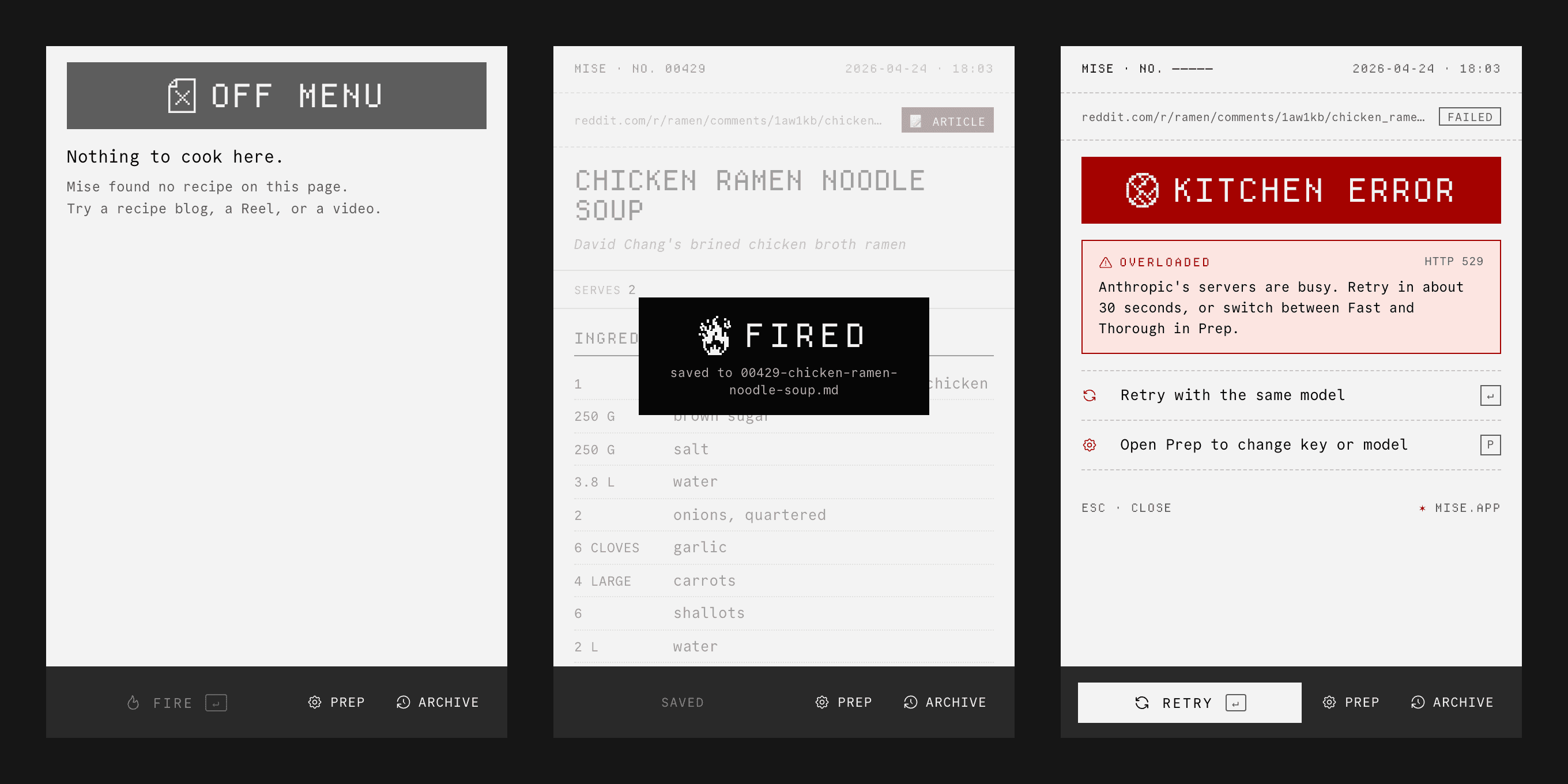
I started from a Japanese chef's knife, where every detail is there because of what it does. So the palette is greys and one red, the red of digital-clock digits. The red means the action or a failure, never both on one screen. When an extraction fails, the error takes the red and the buttons go grey. There are two monospace typefaces: Departure Mono for display, and Commit Mono for everything you read.1
A card ends in one of three stamps: grey for nothing to cook here, black for saved, red for broken.
The specimen
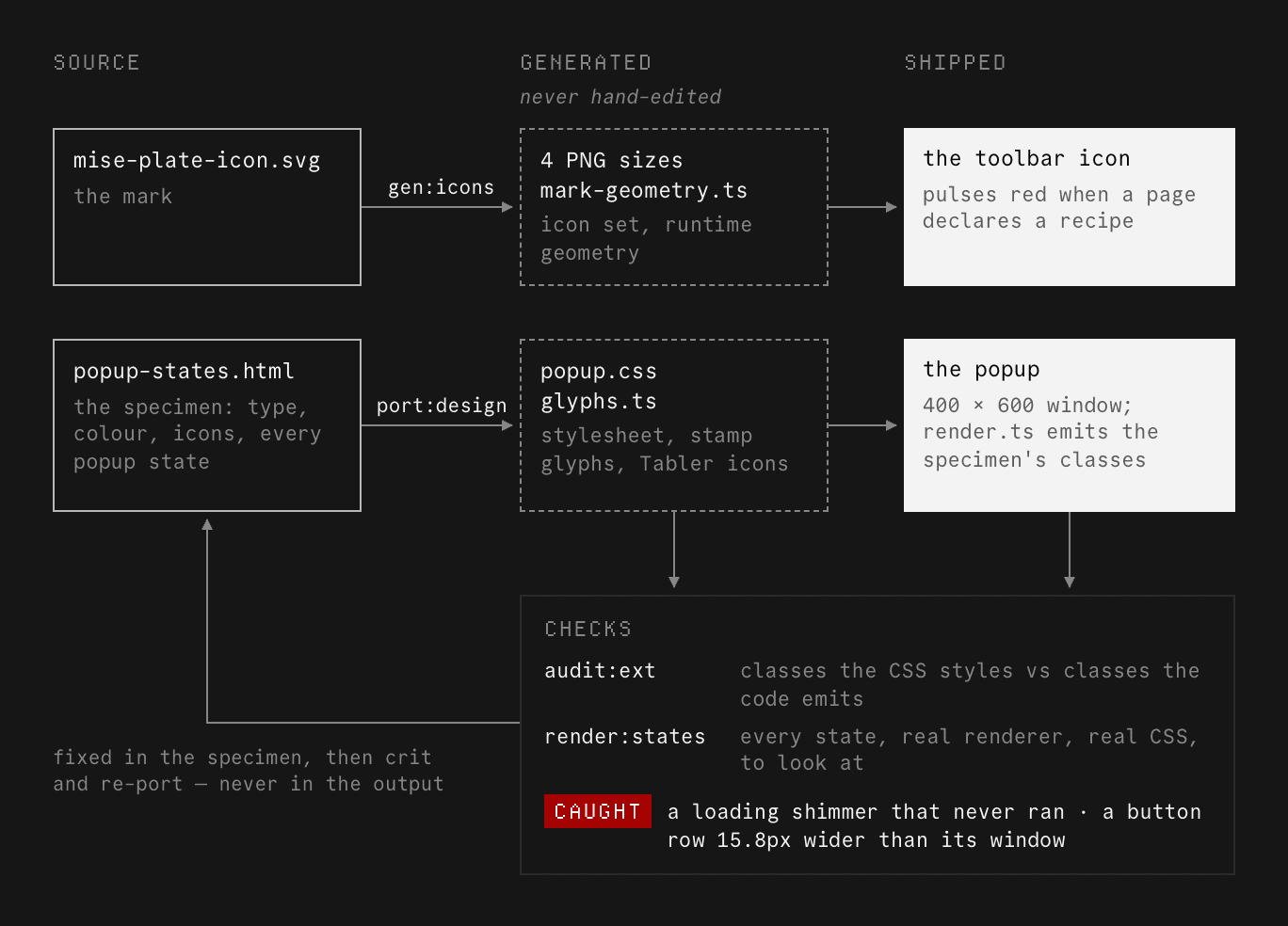
I designed Mise in an HTML specimen, a single page that holds every state of the popup with its type, colour and icons. Nobody writes the extension's stylesheet or icons by hand. A build step generates them from the specimen, so each design decision lives in one place and the product follows it. The popup at the top of this page is built the same way.2 The code is Claude Code's, written from my specs and reviewed by me.
Generated styles fail quietly. If the design styles a class that the code never emits, the page stays valid but unstyled. So I built two checks. One compares the classes the stylesheet defines with the classes the code emits. It found a loading shimmer that had never run. The other renders every state with the real code, so I can look at each one. It found a button row 15.8px wider than its window. No unit test could have caught that, because none of them lays anything out.
Small things
When a page is marked up as a recipe, the toolbar icon heats up. The whole plate turns red, pulses three times and holds. At 16 pixels, a few red strokes on the M alone would be easy to miss.
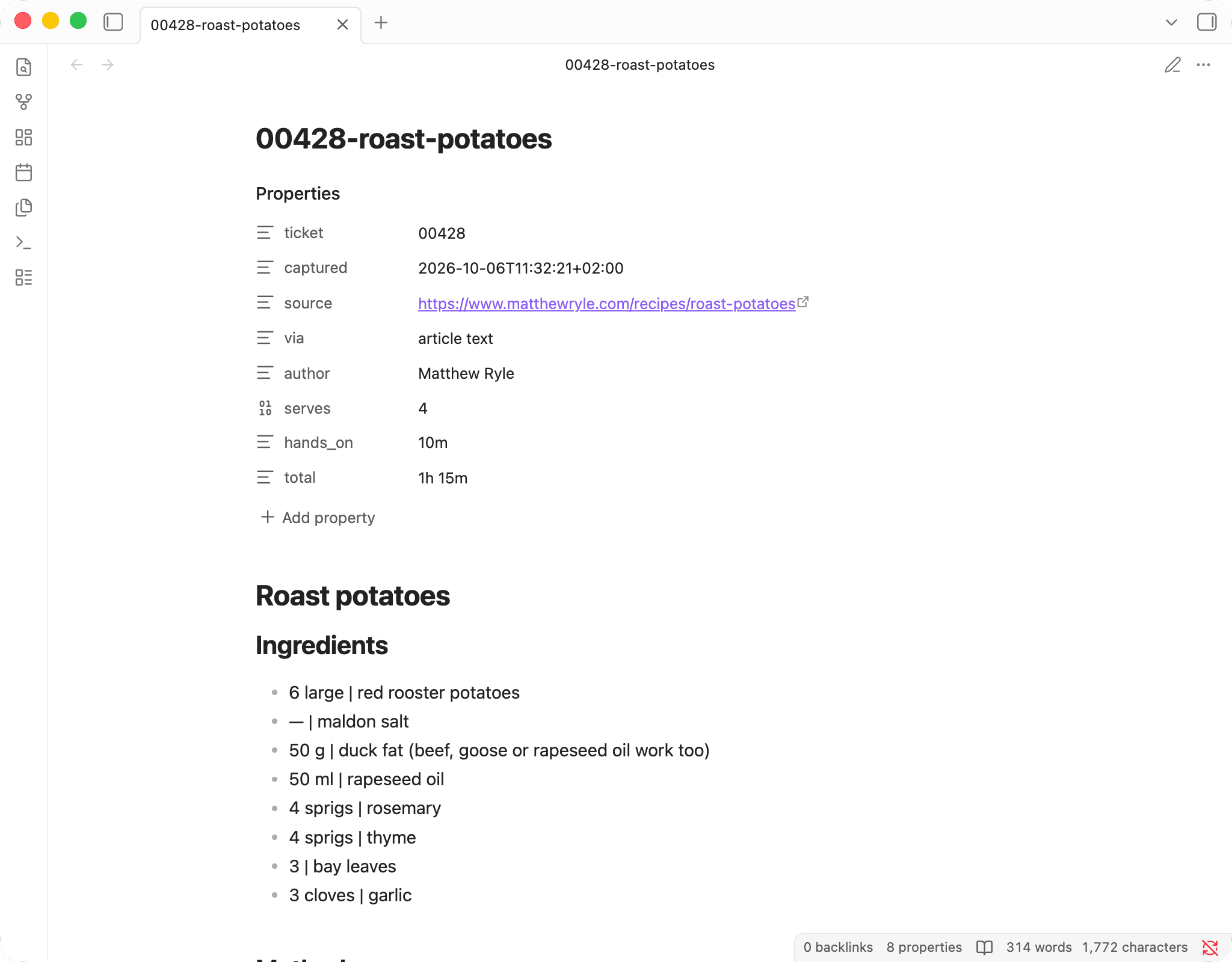
In the file, a pipe separates each quantity from its ingredient. Obsidian renders Markdown as HTML, which collapses runs of spaces, and a dot between single spaces all but vanishes. A pipe spans the full line height, so it still reads as a column rule.
People reopen the popup right after saving, to check it worked. For a recipe already on disk, it shows the FIRED stamp and makes no new API call.
Try it
The code is on GitHub. Download the latest release, load it unpacked in Chrome or any Chromium browser, and paste your own API key into Prep. There's no account and no server. The key stays in your browser and goes only to the AI provider it belongs to. Each recipe is one API call on your bill.